Inventory change timeline
Review before and after quantities with timestamp, SKU, product, variant, and location context.
 StockTrace Audit Log
Track every observed stock change in one place. StockTrace Audit Log gives Shopify merchants inventory change history for products, SKUs, and locations inside Shopify Admin.
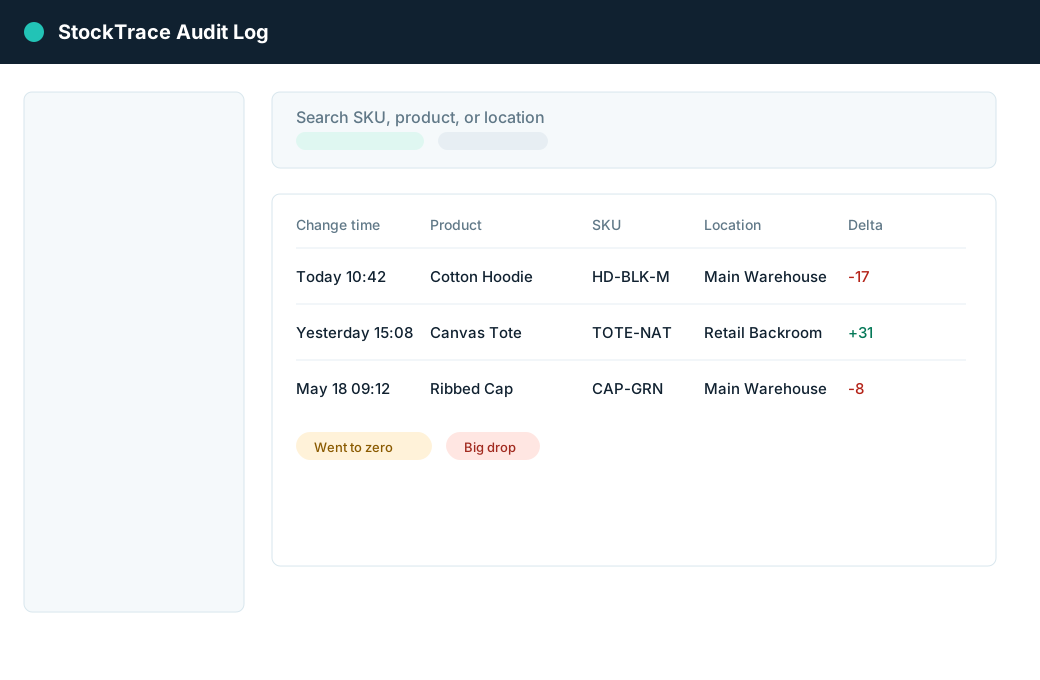
Use a searchable timeline to answer operational questions like what changed today, which SKUs dropped to zero, and which location had the largest decrease.
Review before and after quantities with timestamp, SKU, product, variant, and location context.
Filter by keyword, SKU, product title, location, direction, source, confidence, and date range.
Highlight went-to-zero, restored-from-zero, big-drop, and big-increase events.
Export operational stock change reports without customer or order data.
Install the embedded Shopify Admin app.
Confirm a Shopify App Pricing plan.
Run the first baseline inventory sync.
The app records observed inventory differences from webhooks and reconciliation.
Search, filter, review, and export audit logs.
The app does not request customer names, emails, phones, or addresses.
It does not request order scopes or protected customer data.
It reads inventory data and does not change stock quantities.
No theme edits, Liquid changes, widgets, popups, or checkout extensions.